
Security and your recovery kit
What you see
Mac and iPhone. The same idea on Windows and Android: a password you choose, and a recovery kit you print.
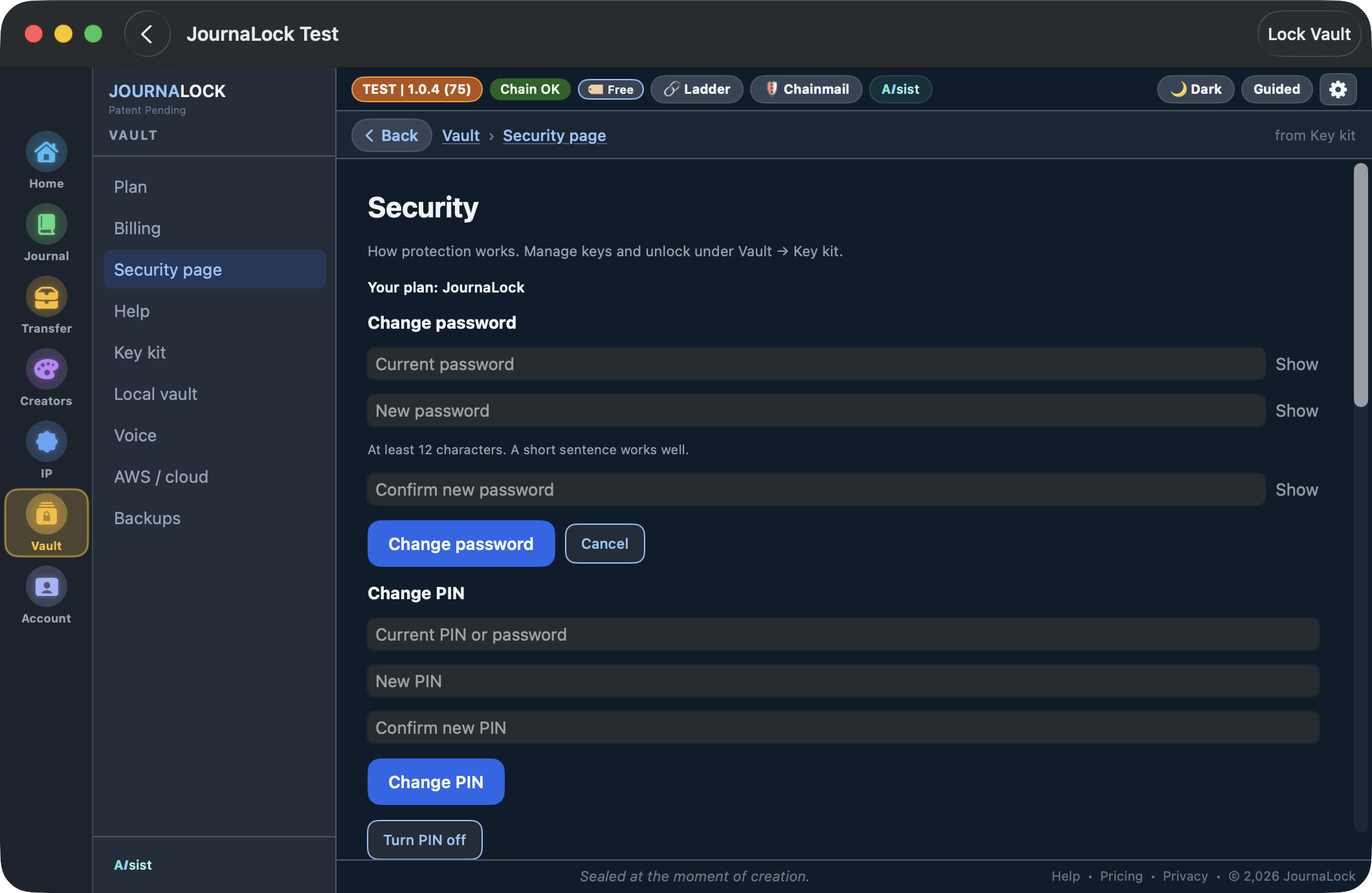
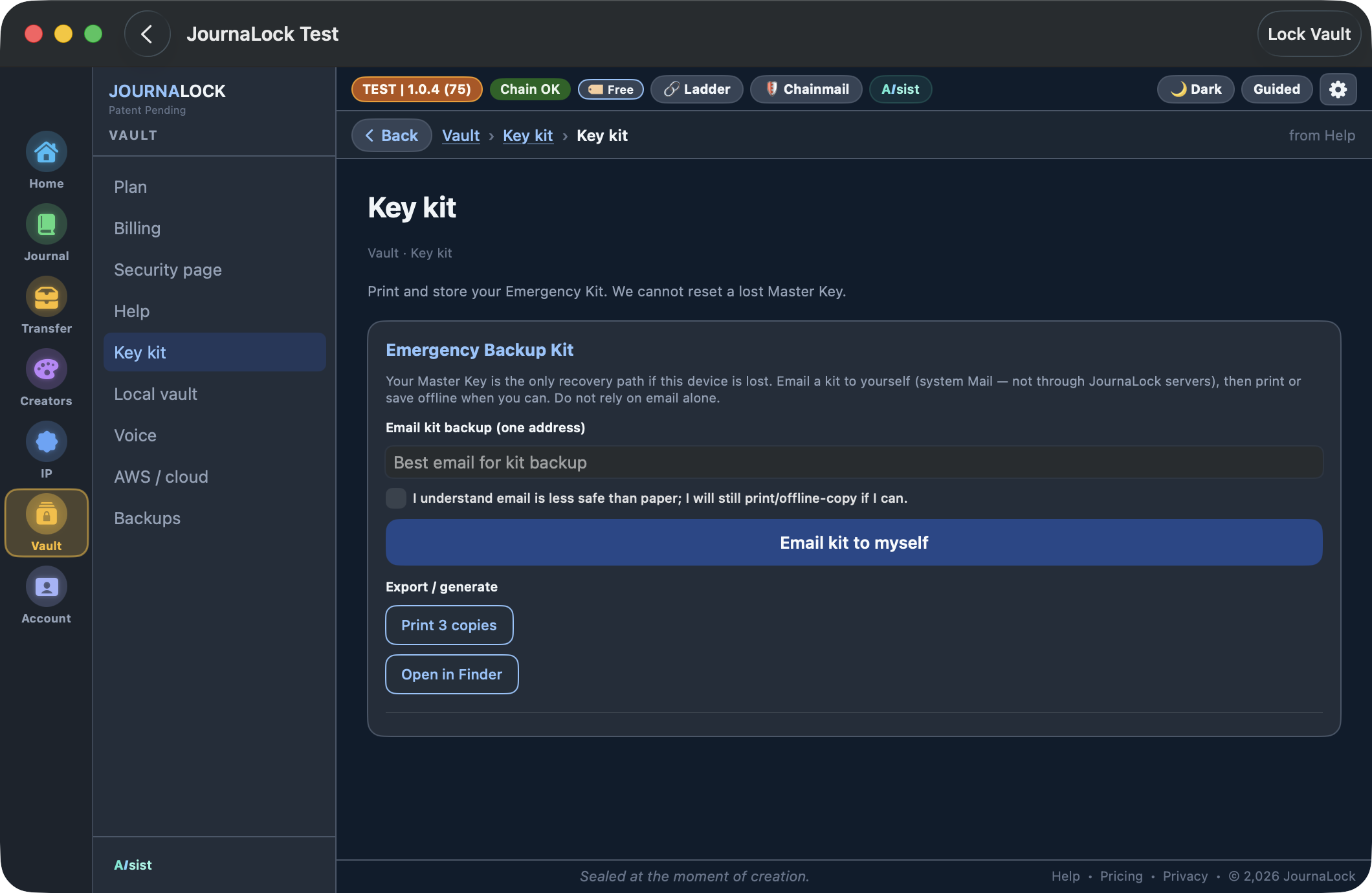
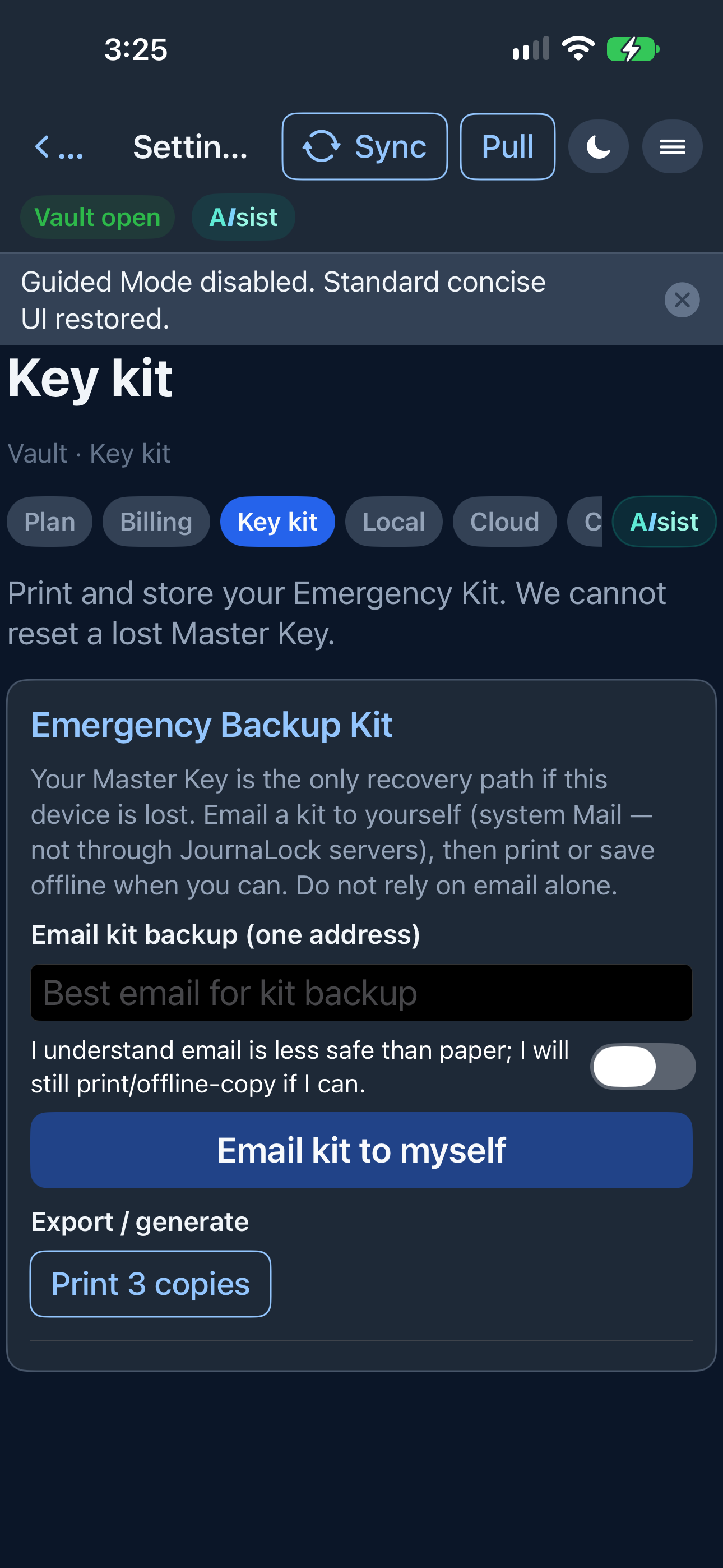
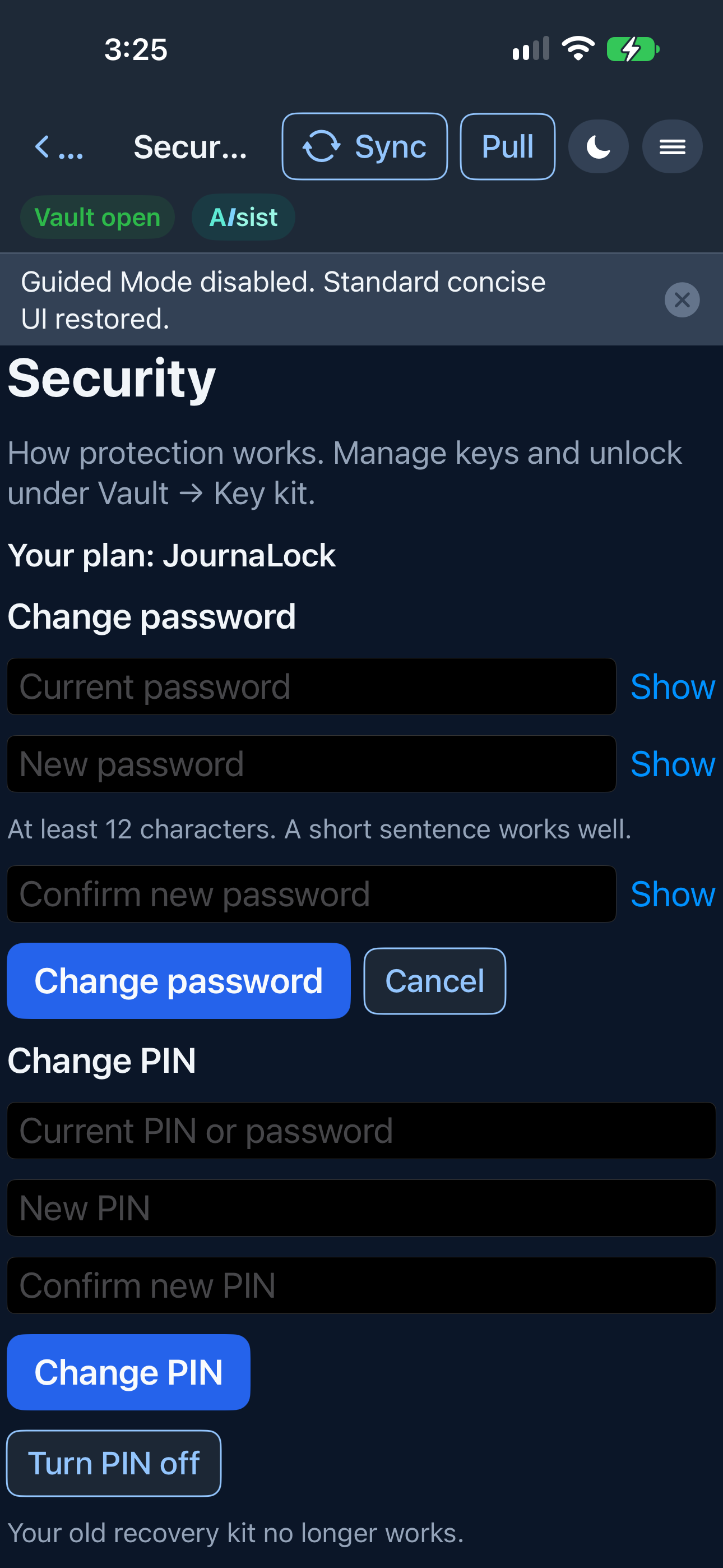
Your password
- Open Vault, then Security page.
- Type your current password.
- Type a new password of at least 12 characters, then type it again.
- Choose Change password.
Your entries stay as they are. A wrong current password changes nothing.
Your recovery kit
The kit is a spare key that belongs to your journal. Open Vault, then Key kit. Print 3 copies. Write the date on them. Keep each copy somewhere safe and away from the computer: a locked drawer, a safe, or with your important papers.
- Do not email it as your only copy, text it, or post a photo of it.
- Anyone who has the kit can use it to get in. Treat it like a key.
- When you make a new kit, the old one stops working, including old paper. Destroy the old copies.
If you forget the password
If you still have the current kit, you can get back in and set a new password. Your entries stay. Nothing is erased. If a kit does not match this journal, nothing is changed.
You get 10 tries. After 10 wrong tries, wait 30 minutes, then try again. Nothing is erased because of wrong tries.
If you do not have a kit
You still know the password. Open the Key kit page now. Print three copies and put them away.
You have lost the password and every copy of the kit. The journal cannot be opened. There is no email reset. JournaLock cannot unlock it for you. That is the lock that keeps everyone else out.
Questions people ask
- Can you reset my password by email? No. The kit is the way back in.
- Can support open my journal? No.
- Will a new password erase my entries? No.
- Will wrong tries erase my journal? No. After 10 wrong tries you wait 30 minutes.
- Does a new kit retire the old one? Yes. Destroy the old paper.
- Is the PIN the same as the password? No. The PIN is optional. You still need the kit if you forget the password.
For the curious
- Your password is stretched with Argon2id, 64 MiB of memory and 3 passes. Weaker settings are refused.
- The journal is encrypted with AES-GCM, which also notices if the locked file is changed.
- A key check can tell a wrong password without exposing the key.
- The recovery kit holds a separate key that unlocks a wrapped copy of the master key. A new kit retires the old one.
- Saves are written so a power loss does not leave a half-written file.
- All of this runs on your device. JournaLock never receives your password or your keys.
Privacy policy: journalock.com/privacy. Install: Get the app.